Triage Routing
Clinical urgency routing — configured by your clinical director, not hardcoded
Intakeful's triage routing is what separates it from a form builder. Three levels. Configurable score thresholds. Immediate alert for urgent patients. Built for how behavioral health practices actually handle intake urgency.
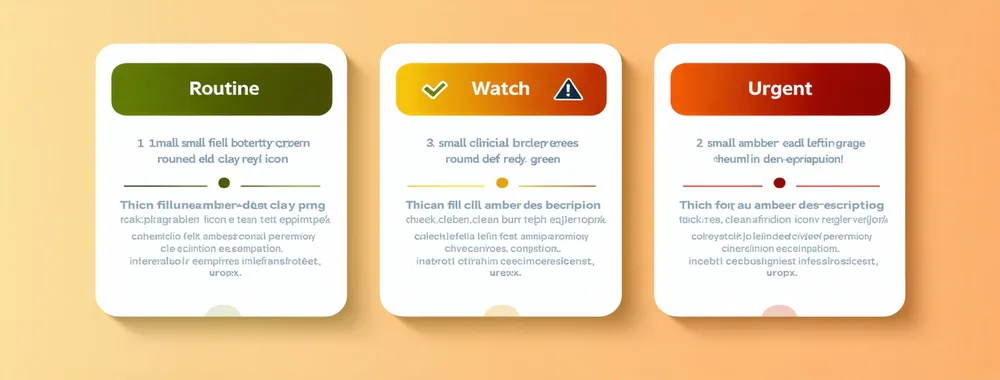
Three Triage Levels
Routine, Watch, Urgent — and what each means for your front desk
Standard intake, standard appointment
Screening scores within your practice's low-concern range. Intake is complete. Front desk proceeds with standard appointment workflow — clinician assignment, appointment confirmation, insurance status review.
Action: Standard appointment confirmation
Elevated concern, clinician heads-up
Screening scores in the moderate-concern range per your configured thresholds. Front desk is notified; clinician receives a Watch flag in their pre-appointment summary. The assigned clinician is alerted to prepare for an elevated-complexity first session.
Action: Clinician pre-appointment notification
Immediate front-desk alert
High-risk screening response — Columbia Suicide Severity flag, severe PHQ-9, or practice-configured urgent threshold crossed. Front desk receives an immediate notification. Optional: SMS to clinical supervisor. Optional: warm transfer reference to practice's configured crisis resource.
Action: Immediate front-desk alert + supervisor option
Your Rules
You configure the routing. Intakeful applies it.
Your clinical director sets the score thresholds per screening instrument. Different practices — different patient populations, different specialty focus, different clinical supervisory structures — will have different routing rules. Intakeful does not set clinical protocols.
Per-instrument thresholds
Set separate Routine/Watch/Urgent thresholds for each screening instrument — PHQ-9, GAD-7, Columbia, AUDIT-C, PCL-5. A PHQ-9 threshold and a Columbia threshold can map differently to triage levels per your clinical protocols.
Chief complaint routing rules
Configure which screening instruments activate based on stated chief complaint. A patient presenting for anxiety triggers GAD-7 + PHQ-9; a patient presenting for substance use triggers AUDIT-C with 42 CFR Part 2 data handling.
Alert routing for Urgent
Configure what happens when Urgent is triggered: front-desk dashboard alert (always), optional SMS to named clinical supervisor, optional display of your practice's crisis line reference for the front desk workflow.
Clinical supervisor view
Clinical directors and supervisors get an aggregate view: all pending intakes, triage level distribution, flagged intakes requiring attention, completion rates. Available on Professional and Group Practice plans.
Crisis protocol integration note
Intakeful's Urgent routing does not replace your practice's crisis protocol or the 988 Suicide and Crisis Lifeline. Urgent-flagged patients trigger front-desk notifications and can reference your practice's configured crisis response workflow. Your clinical protocols govern the response. Intakeful is the notification layer, not the clinical decision layer.
No-show prevention built into routing
Incomplete intake — a patient who received the intake link but hasn't finished — triggers automated reminders at 48h and 24h before appointment. The reminder includes a "finish your intake" link. Completed intake correlates with lower first-appointment no-show rates; practices using Intakeful have reported improvements in intake completion and appointment retention.
See triage in your practice context
Walk through triage routing configured for your clinical protocols
We'll show you the configuration interface and a live routing demo using PHQ-9 and Columbia — set to your practice's thresholds.